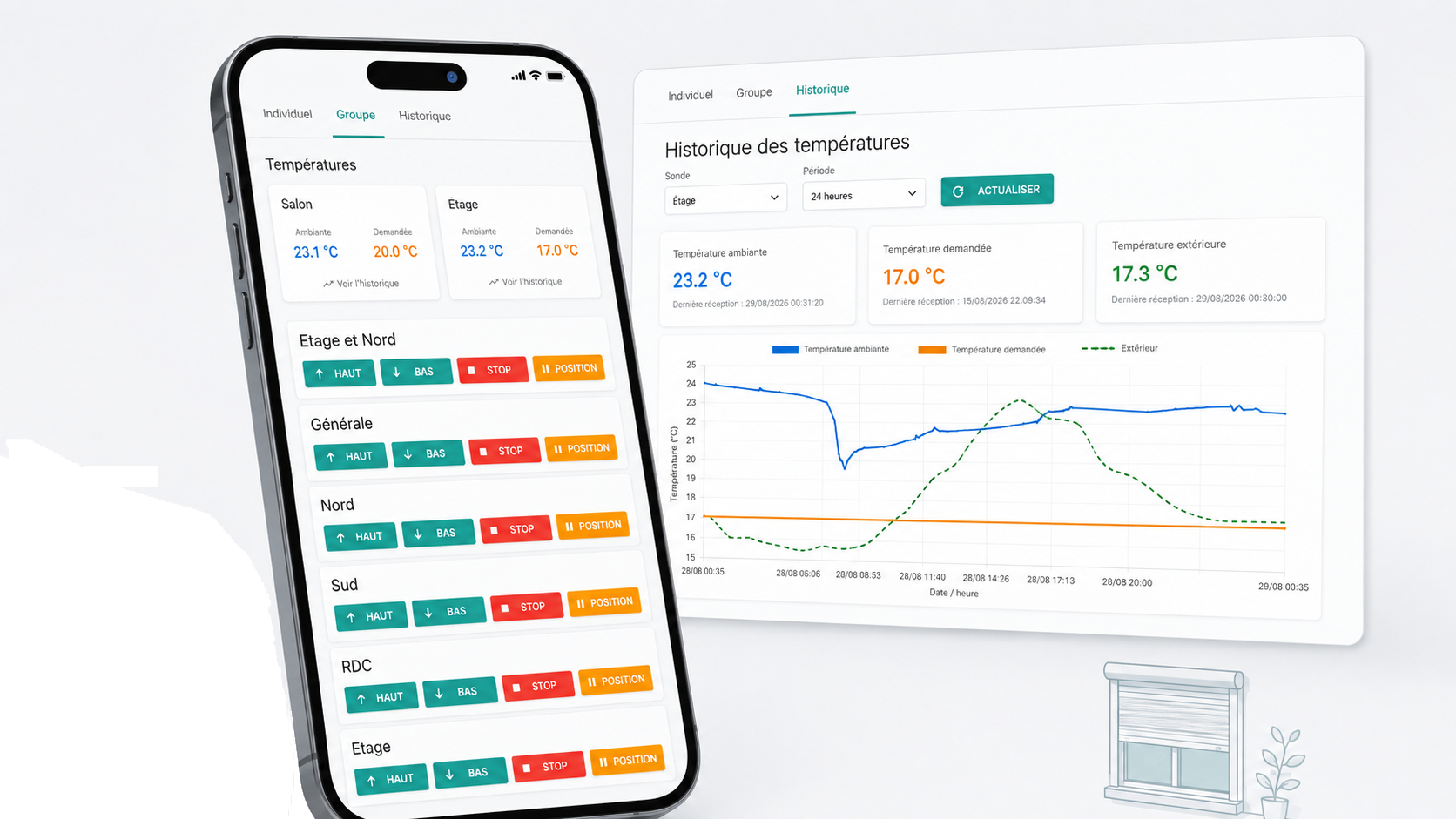
A Simple Web Interface to Control My AirSend
Hi everyone,
I use a Devmel AirSend Duo to control my roller shutters.
The device works very well locally, but it does not provide a complete web interface hosted directly on the AirSend for controlling devices from a browser.
Devmel provides AirSend.cloud for remote control, but also provides the components needed to communicate directly with the device on the local network. That local approach is what I use.
I had looked at Home Assistant and Jeedom, but for my needs they felt quite heavy: a lot of components, dependencies and configuration for something that is ultimately very simple.
What I really wanted was a web page with a few buttons, accessible from my phone.
So I built a small Python interface:
https://github.com/sfonteneau/airsend_devmel_python_simple_web_interface
It uses AirSendWebService to communicate locally with the AirSend.
The interface can control each shutter individually, but it can also create groups.
For example, I can open or close every shutter in the house with a single button.
Browser
    ↓
Web interface
    ↓
AirSendWebService
    ↓
AirSend Duo
    ↓
Shutters
The project grew a little
I discovered that the AirSend can easily be put into listening mode.
While looking at the received radio frames, I realized that the temperature sensors used by my heat pump were also communicating over 868 MHz.
The data is not encrypted, so with the right receiver it can be read fairly easily. I can actually receive a few sensors from my neighbours as well, which I simply ignore.
So I added those temperatures to the interface, with a history stored in SQLite and a comparison with the outdoor temperature.
In the end, the project remains intentionally lightweight:
control my shutters, manage groups and monitor a few temperatures.
I do not need a complete home automation platform for that.
Just a small local web interface that does exactly what I need.