Self‑hosted collaborative editing (OnlyOffice / LibreOffice Online)

Everyone knows Google Docs or Office Online.
These tools are widely used in schools: a group of students can work together on the same document in real time from their own computers. Very powerful.

In schools, Google Workspace / Office 365 can be free, but in companies the price rises quickly. Also, not really knowing where your data is stored can be a confidentiality problem. And you need a decent Internet connection. So having an alternative matters.
A couple of years ago I tested some self‑hosted collaboration tools, and at the time I wasn’t convinced. During the holidays, I decided to re‑test open‑source options:
- LibreOffice Online
- OnlyOffice
I set up a small Nextcloud to test both. The easiest way to deploy them is with Docker: simple, fast, and upgrades are painless.
Nothing is stored inside OnlyOffice or LibreOffice Online: they’re editors only.
First tests: very convincing and responsive. Both solutions work really well.
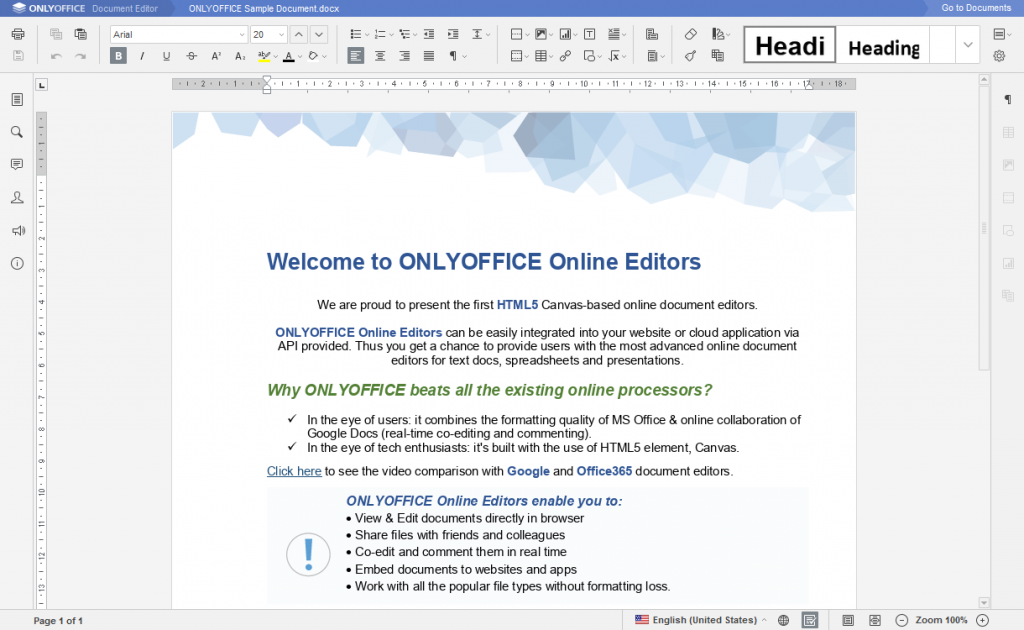
OnlyOffice includes many features; it’s very mature and has nothing to envy Google Docs or Word Online — it might even be better. Great surprise.
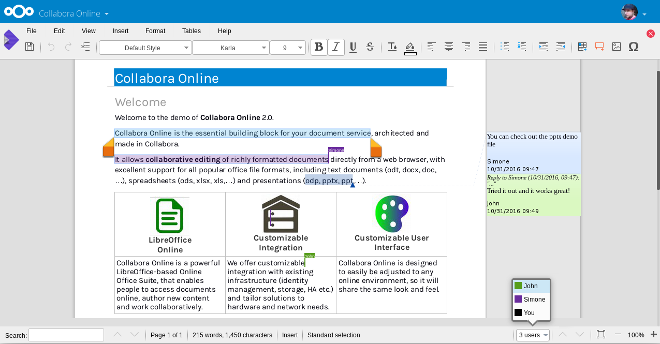
LibreOffice Online also works great — fewer features, but it fits my needs (docs, spreadsheets, presentations).
OnlyOffice Community Edition is limited to 20 concurrent users; beyond that you need the paid edition.
Yes, the code is open, and technically you could patch out the warning… but you shouldn’t. If you like the product, support it so it can evolve and developers can get paid. LibreOffice Online also has limits (and you can recompile), same story.
There is also a -70% discount for education for the self‑hosted offer and a free cloud offer: https://www.onlyoffice.com/fr/education.aspx
Bottom line: you can offer users a way to regain control of their data.
Technical subtleties and feedback
In my tests, I installed both OnlyOffice and LibreOffice Online connected to Nextcloud.
A big bonus: Nextcloud can mount CIFS/SMB shares as external storage. That means you can expose Windows file shares through Nextcloud, and even sync them with the Nextcloud desktop client without storing the files on the Nextcloud server.
Many other external storages are supported too: Google Drive, Amazon, Dropbox, FTP, SFTP, WebDAV, OpenStack object storage, etc.
Nextcloud can also do federation if you have multiple organizations/schools.
Be careful when doing collaborative editing on external storages (yes, it works): if there are concurrent writes between OnlyOffice/LibreOffice Online, the desktop client, and the file on the CIFS share, the last writer wins. There’s no versioning on external storage — you need to understand that mechanism.
It gets tricky if users access the CIFS share with different credentials (e.g., “use current session credentials”): each user may open their own editor session and you lose true collaborative editing — last save wins and overwrites the others.
To work around this, I created a dedicated account (e.g. next-cloud-share) for problematic shares and configured external storage with that account.
More Nextcloud bonuses
Nextcloud has an app store. Interesting apps include: - Draw.io - IMAP/SMTP mail client - CalDAV client - CardDAV client - Video call tools - Task lists - Organization tools…
Overall: a very good product.